Waybills
Waybills group deliveries under one movement record. Dispatchers use them when multiple deliveries need to travel together or when carrier movement needs a controlled document and lifecycle.
When To Use Waybills
Use a waybill when:
- Several deliveries should move as a group.
- A carrier handoff needs a document record.
- Internal, prime, or external movement must be tracked.
- Dispatchers need to seal, dispatch, receive, close, cancel, or return a grouped delivery set.
Waybill List
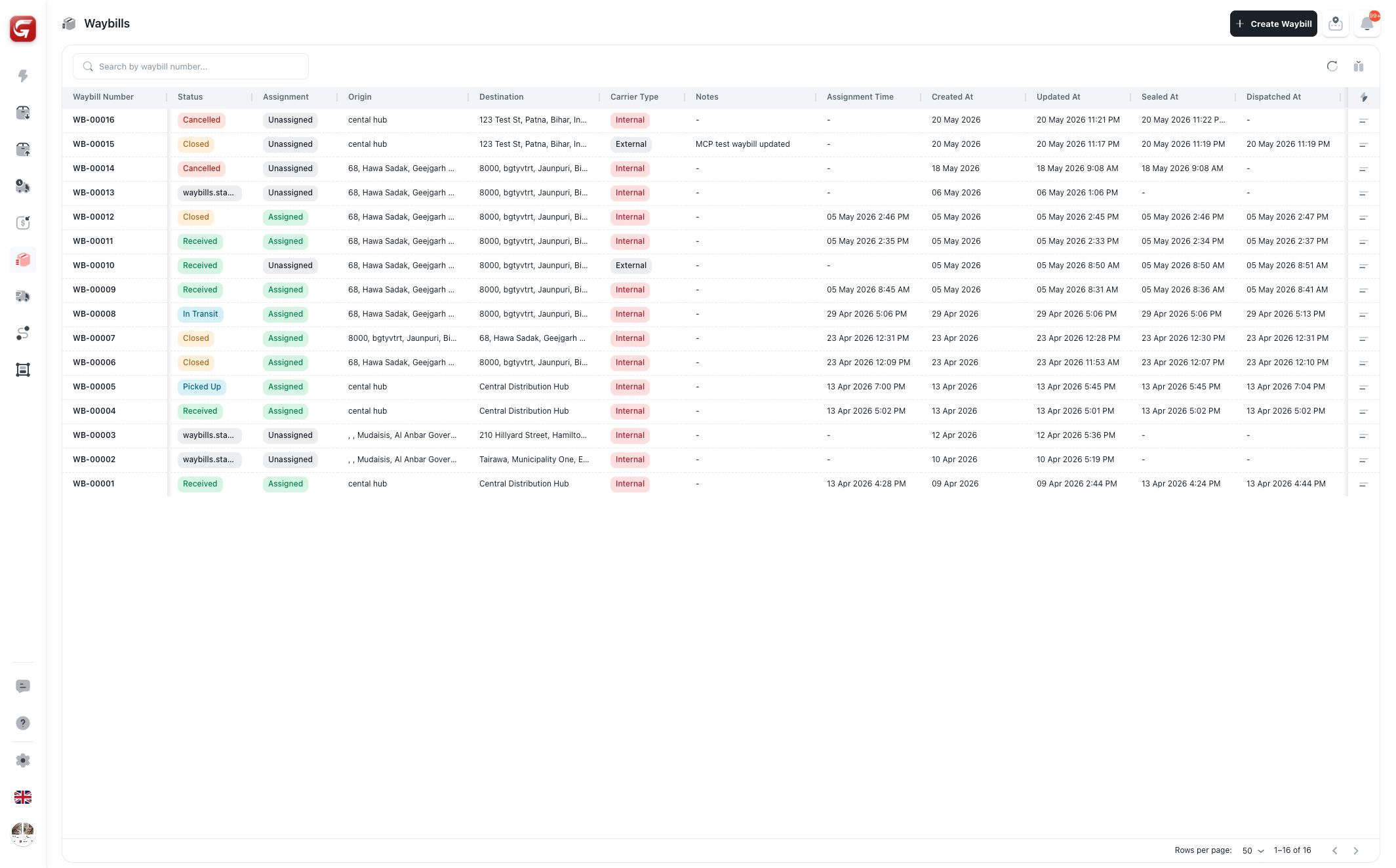
The waybill list shows:
- Waybill number.
- Status.
- Assignment status.
- Origin.
- Destination.
- Carrier type.
- Notes.
- Assignment time.
- Created, updated, sealed, dispatched, received, closed, and cancelled dates.
Use search to find a waybill by number. Use table sorting and filters to narrow by status, carrier, or date.
Waybill Details
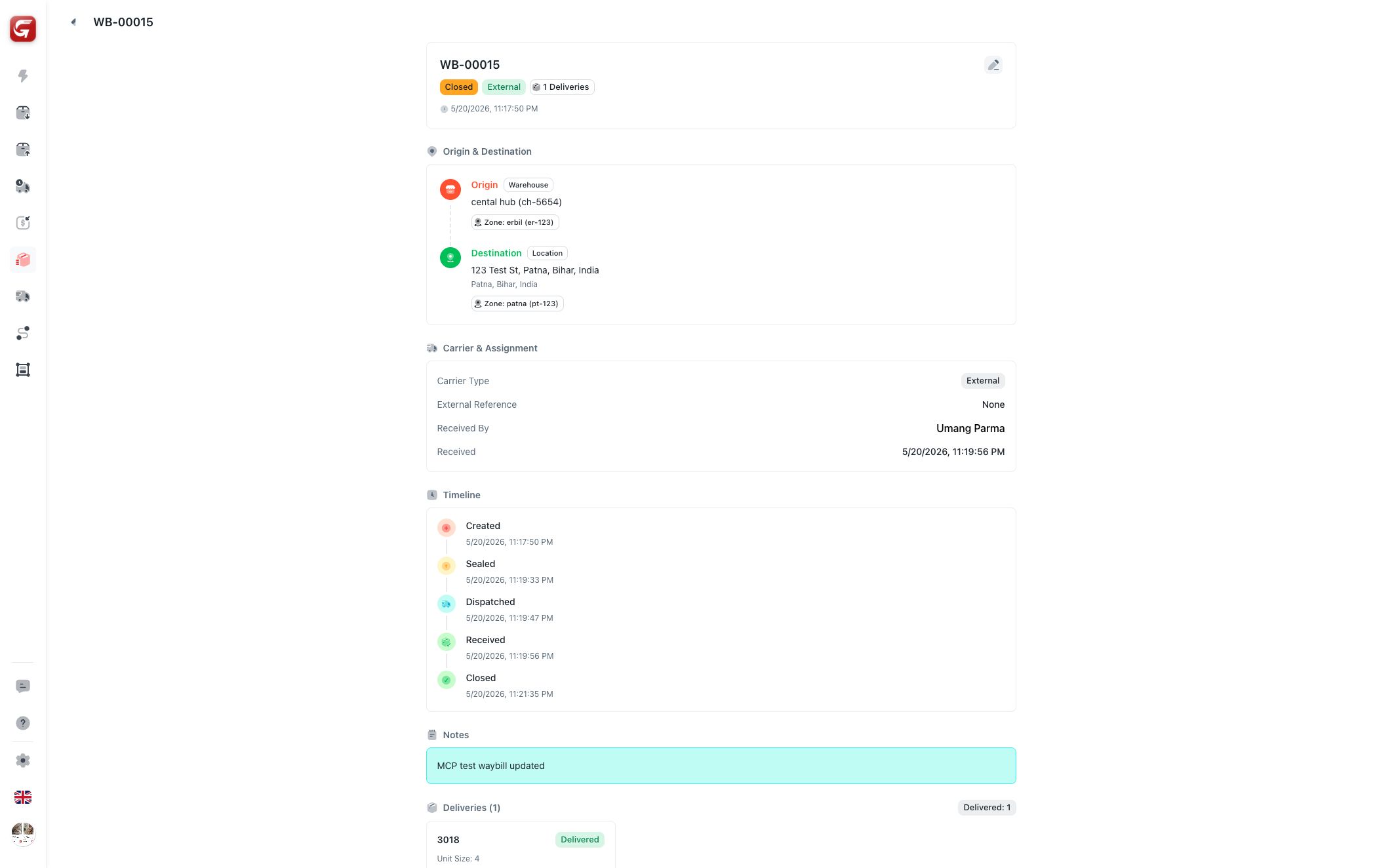
The detail view shows:
- Header with waybill number, status, carrier, and delivery count.
- Origin and destination.
- Carrier and assignment.
- Driver and vehicle.
- Timeline.
- Notes.
- Deliveries included in the waybill.
Waybill Lifecycle
| Status | Meaning |
|---|---|
| Draft | Waybill is being prepared and deliveries can still be adjusted. |
| Sealed | Delivery membership is locked. |
| Dispatched / In Transit | The waybill is moving with a carrier or driver. |
| Received | The destination has received the waybill. |
| Closed | The waybill is complete. |
| Cancelled | The waybill is no longer active. |
Common Actions
| Action | When it is available |
|---|---|
| Edit | While the waybill is still editable. |
| Seal | Draft waybills. |
| Assign Driver | Internal sealed waybills without a driver. |
| Switch / Unassign | Internal assigned waybills when assignment changes are allowed. |
| Dispatch | Sealed prime or external carrier waybills. |
| Receive | Dispatched or in-transit prime/external waybills. |
| Close | Received waybills. |
| Return | Eligible internal waybills that still have returnable deliveries. |
| Cancel | Waybills not already received, closed, or cancelled. |
warning
Sealing a waybill locks its delivery membership. Confirm included deliveries before sealing.
Delivery Membership
During creation or editing, dispatchers can search eligible deliveries and add them to the waybill. Deliveries with active assignments may be blocked from being added.
After a waybill is locked, delivery membership cannot be changed from the normal edit flow.