Delivery Services
Delivery Services are the options customers or staff choose when creating delivery work. A service can represent an economy delivery, express delivery, same-day service, on-demand delivery, pickup service, or pickup-and-delivery workflow.
Use services after zones and basic delivery setup exist. A service can connect to Zone Pricing, Fulfillment Policies, Vehicles, Teams, and selected business users.
Go to Delivery Management -> Services.
Service list
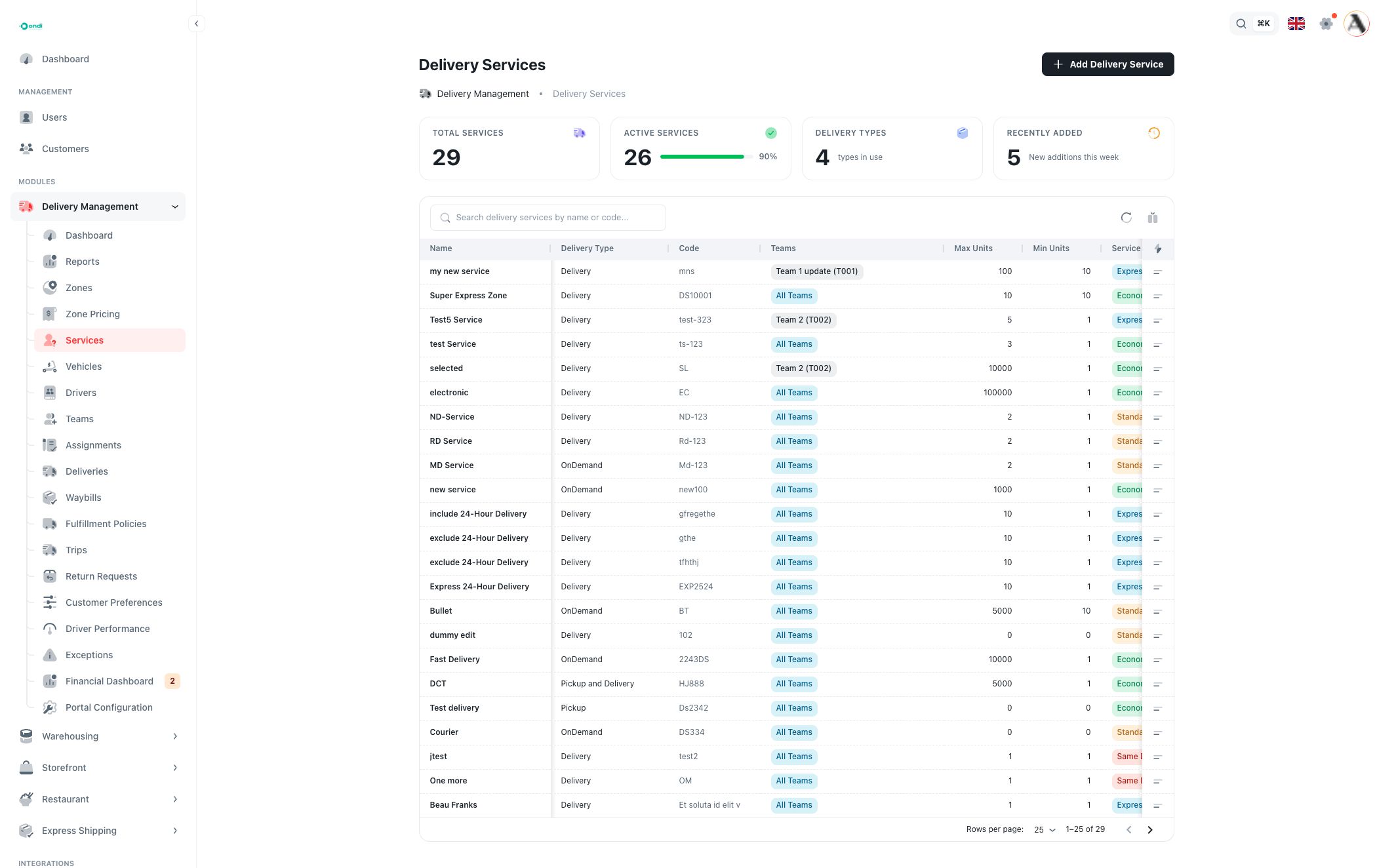
The service list shows all configured delivery services. The top cards show total services, active services, delivery types in use, and recently added services.
Use the table to compare:
- Name: the service name shown to admins and, where enabled, customers.
- Delivery Type: the operational workflow, such as Delivery, Pickup, Pickup and Delivery, or OnDemand.
- Code: the unique service code used for reporting and integrations.
- Teams: selected teams or All Teams.
- Min Units / Max Units: the unit range allowed for orders using this service.
- Service Level: the speed or priority level, such as Economy, Standard, Express, Same Day, Next Day, or Scheduled.
- Default Price: the fallback price when a more specific zone pricing rule is not used.
- Service Options: proof or add-on flags such as signature or insurance.
- Status: Active or inactive.
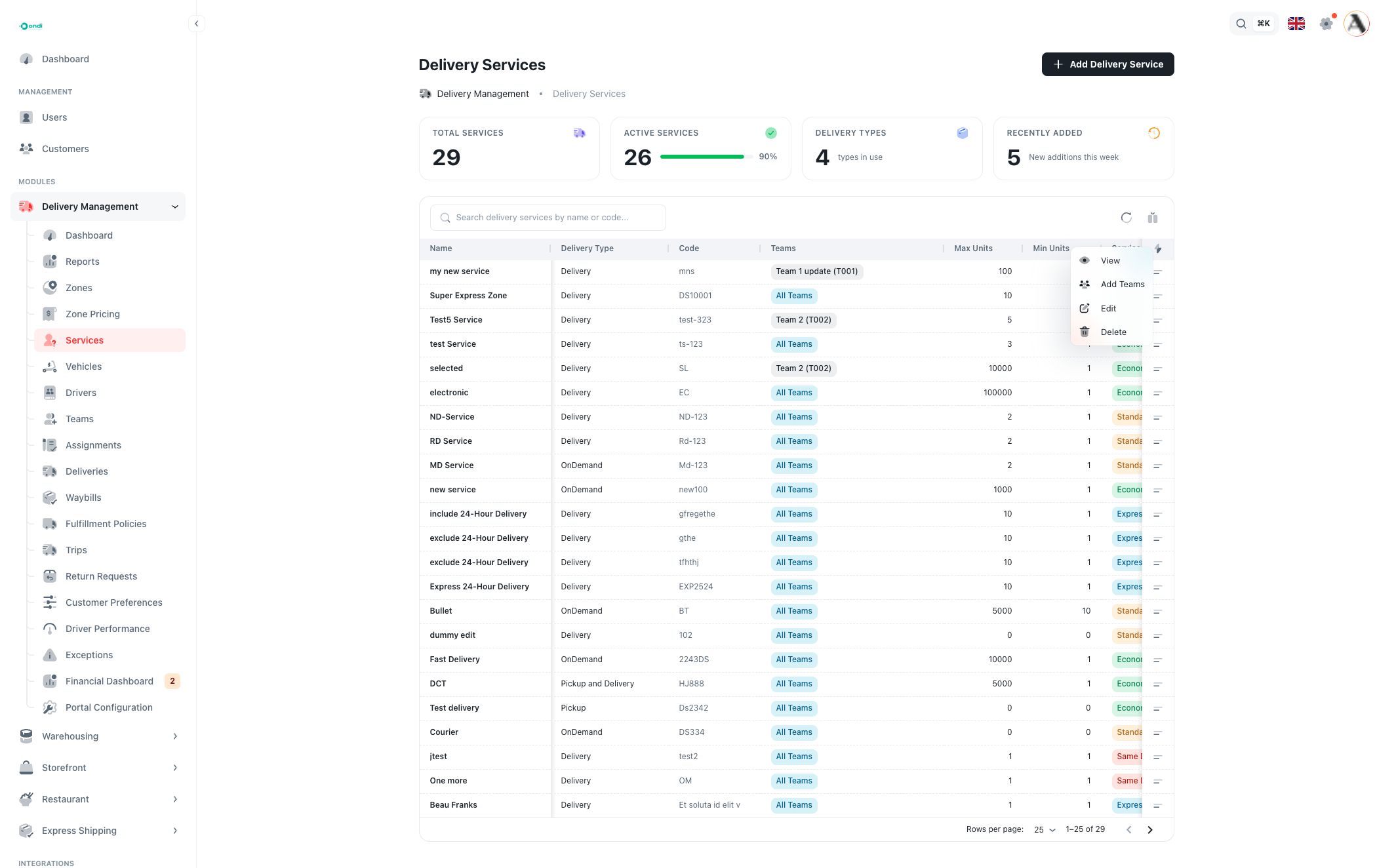
Search finds services by name or code. Use Columns to show or hide table fields. The row action menu contains View, Add Teams, Edit, and Delete.
Create or edit a service
Create and edit use the same form. Editing a real service is often the clearest way to review every connected setting.
Basic information
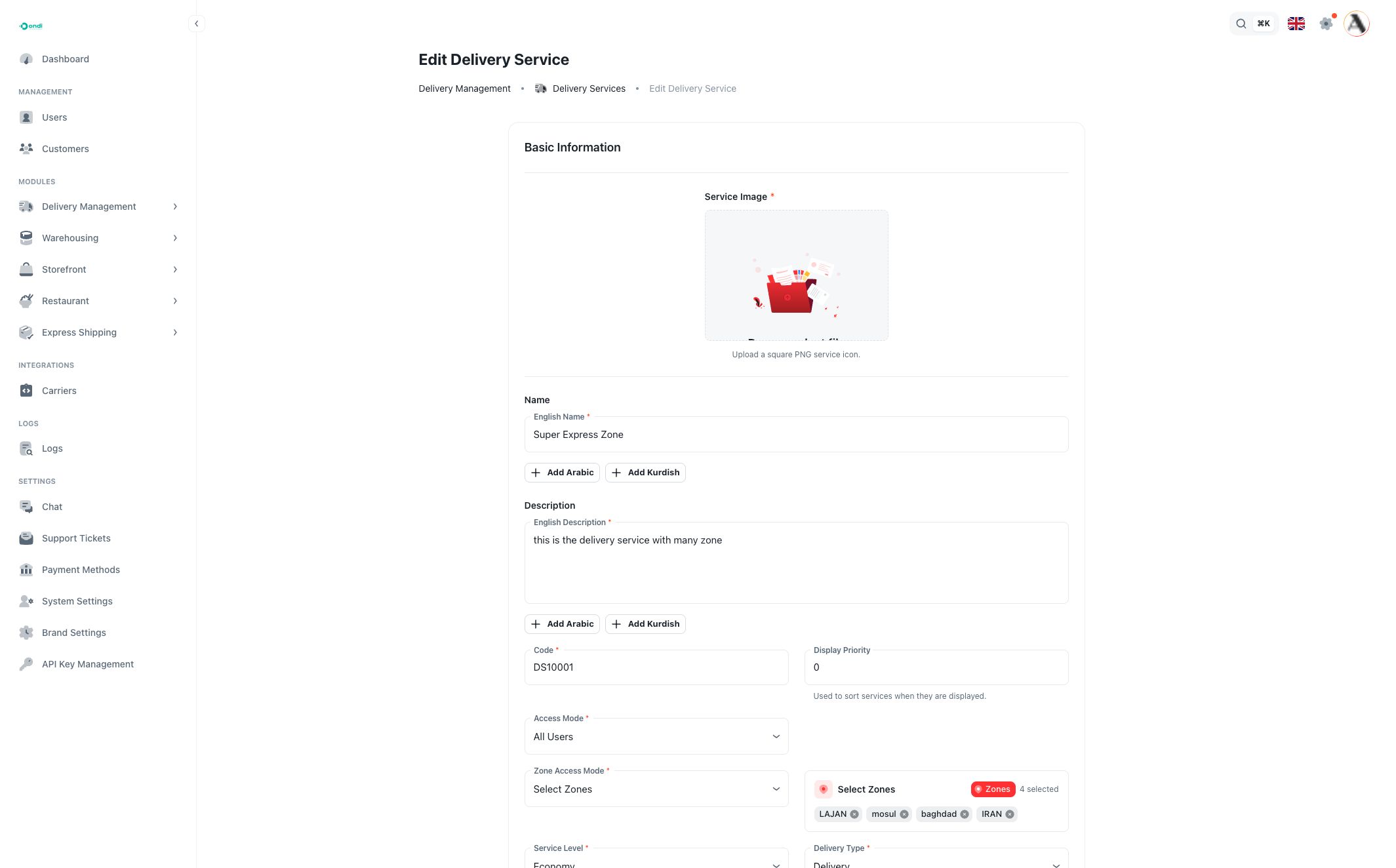
Upload a square PNG service image, then enter the service name and description. English is required. Arabic and Kurdish can be added when the service needs translated labels.
The service Code is the unique system reference for the service. On create, the code can be generated from the English name. Use short, stable codes because they appear in reports and integrations.
Display Priority controls how services are sorted when multiple services are shown together.
Access mode
Access mode controls which business users can use the service:
- All Users makes the service available to every eligible user.
- Select Business Users limits the service to selected business users.
- Exclude Business Users keeps the service broadly available, except for selected users.
Use selected or excluded users for contracted services, VIP services, restricted lanes, or temporary exclusions. Business users are managed from Users and Customers.
Zone access
Zone access controls where the service is available:
- All Zones allows the service across all active delivery zones.
- Select Zones limits the service to chosen zones or tags.
- Exclude Zones allows the service everywhere except chosen zones or tags.
The zone selector can work by exact zone name or by zone tag.
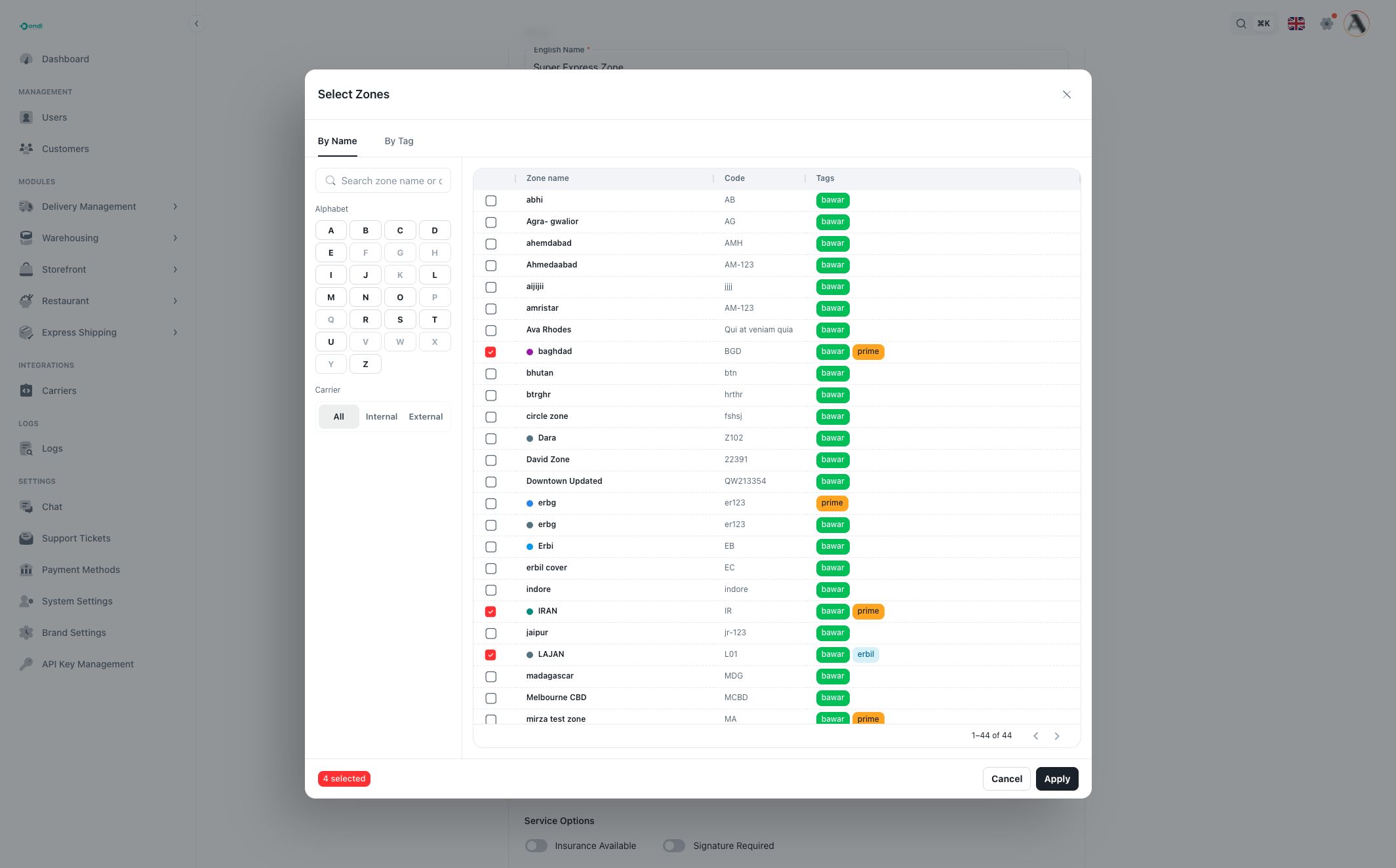
Use By Name when the service should apply to specific zones only. The selector includes search, alphabet shortcuts, and carrier filters for all, internal, and external zones.
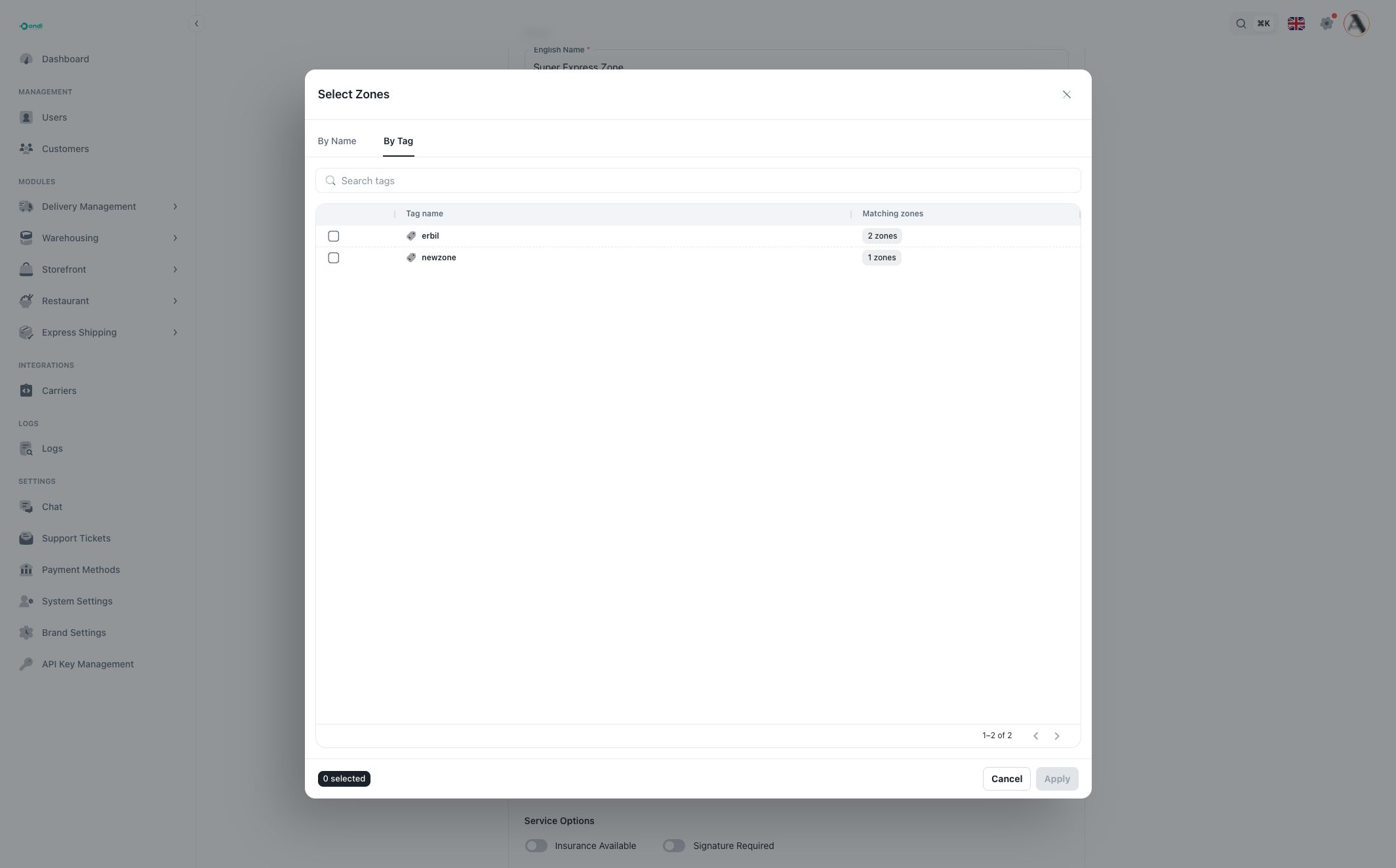
Use By Tag when the service should apply to every zone with a selected tag. If another zone is later added to the tag, it can match the same service rule. Tags are managed on Zones.
Service level and delivery type
Service Level tells users and dispatchers what kind of speed or priority to expect. Economy is usually slower and lower cost. Express, same-day, next-day, and scheduled levels are used when the service has stronger timing expectations.
Delivery Type controls the operational workflow. Delivery handles delivery-only work, Pickup handles pickup-only work, Pickup and Delivery combines both sides, and OnDemand supports more immediate dispatch workflows.
Price, time, and units
Default Price is the fallback price for the service. If a matching Zone Pricing rule exists, zone pricing can provide the more specific price.
Estimated Delivery Time Min / Max stores the expected delivery window in minutes. These values help set user expectations and can appear in service selection or reporting.
Unit Min / Unit Max control the allowed order size for the service. The portal shows a Unit Size Reference based on the tenant's configured unit size. Unit size can represent configured limits such as dimensions and weight, and is managed in System Settings.
Service options
Insurance Available marks that the service can support insurance.
Signature Required marks that a signature is required for the service. Detailed proof requirements are controlled by the service's fulfillment policy configuration.
Active controls whether the service can be used for new work.
Policy configuration
Every service has a policy mode. This controls assignment behavior and proof requirements.
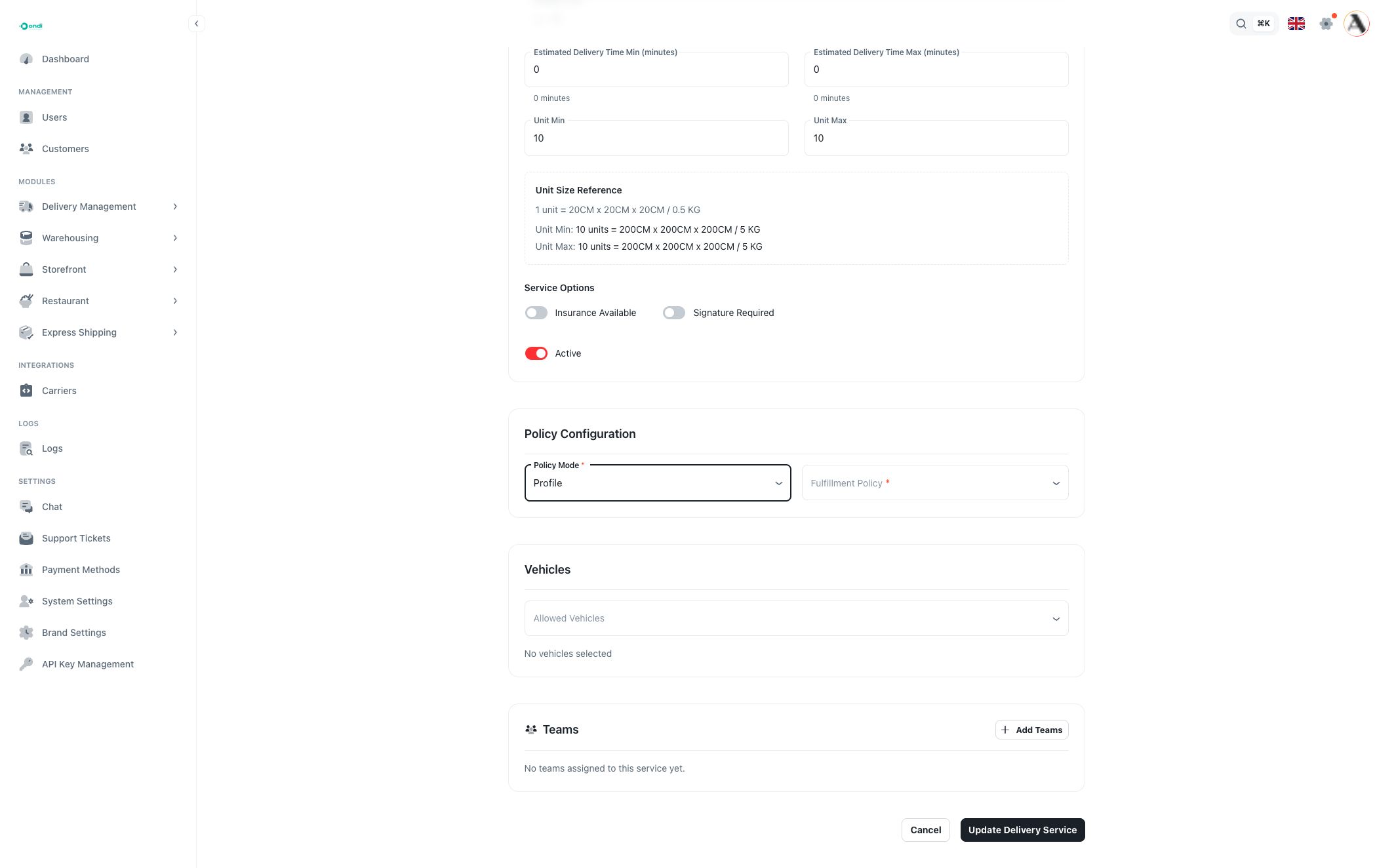
Use Tenant Default when the service should follow the tenant's default fulfillment policy.
Use Profile when the service should use a saved Fulfillment Policy. This is the best option when multiple services should share the same assignment mode and proof rules.
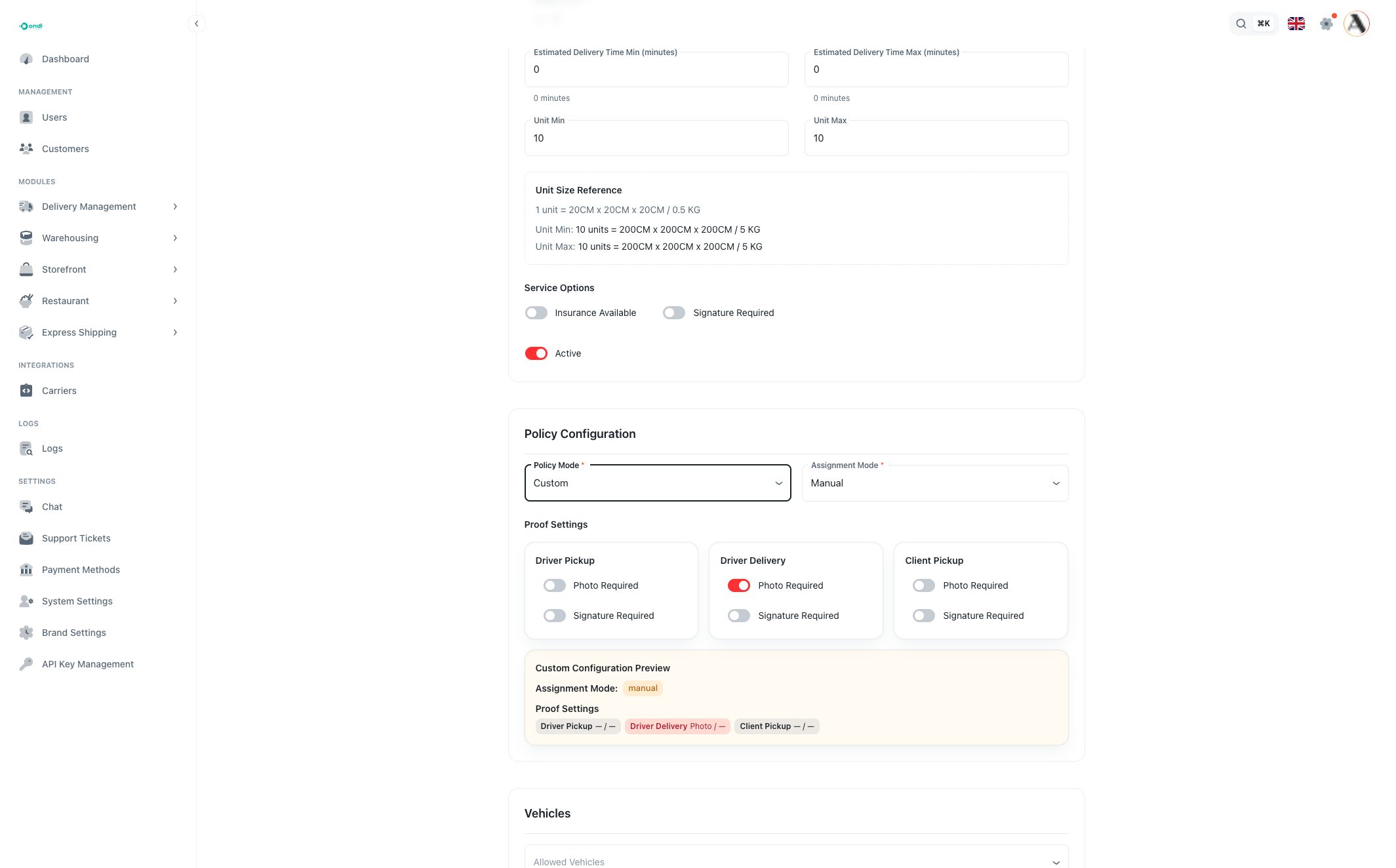
Use Custom when this service needs its own assignment mode and proof settings. Custom mode lets you set assignment mode and photo/signature requirements for Driver Pickup, Driver Delivery, and Client Pickup directly on the service.
Vehicles
Allowed vehicles limit which vehicles can be used for the service. Leave this empty when any suitable vehicle may be used. Add vehicles when the service requires a specific fleet type, capacity, license, fuel type, or special feature.
Vehicle records are managed from Vehicles. Driver vehicle assignments are managed from Drivers.
Teams
A service can be available to all teams or selected teams. Use teams when different groups operate different service lines, regions, customer groups, or delivery contracts.
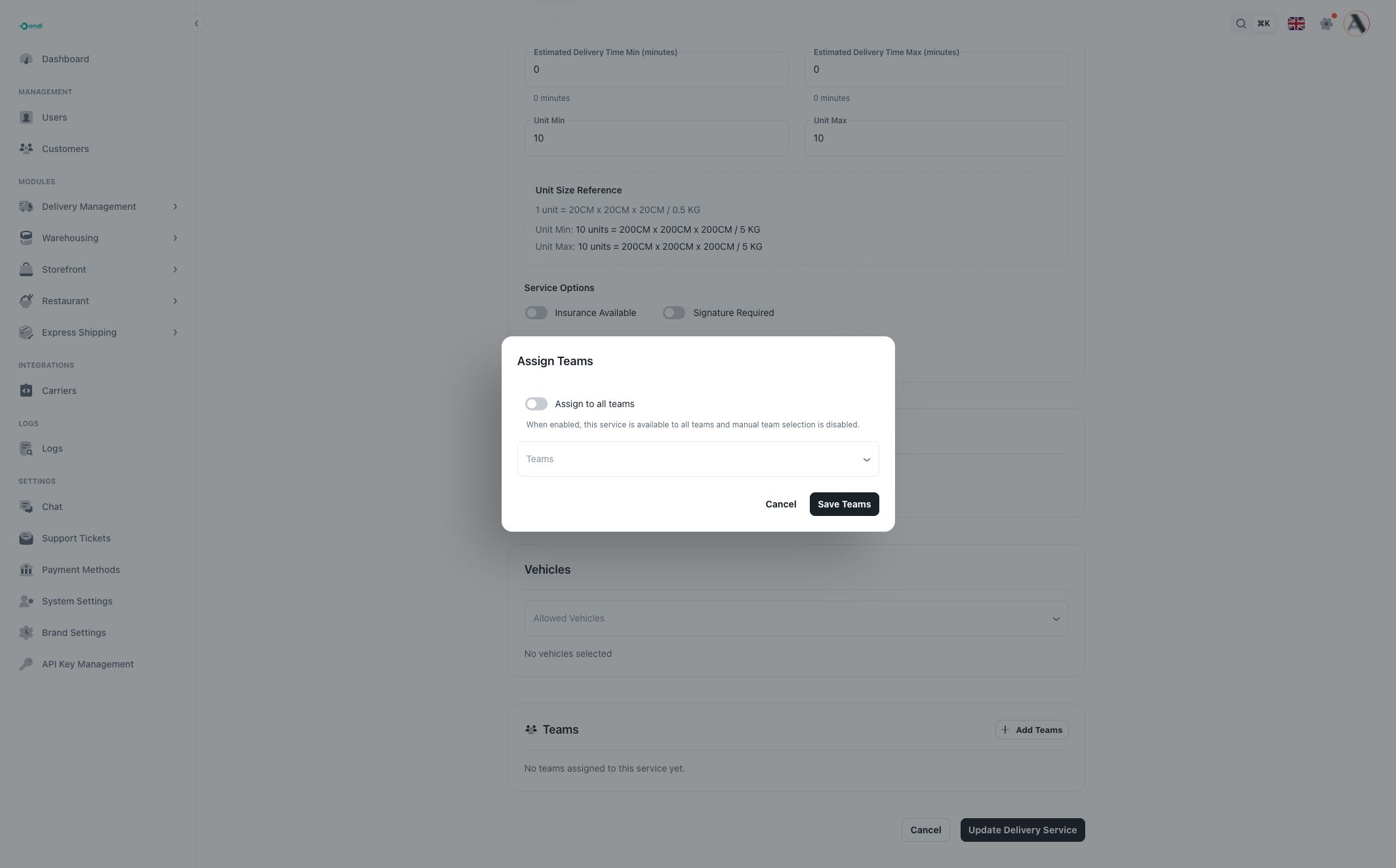
When Assign to all teams is enabled, manual team selection is disabled and the service is treated as available to every team. When it is off, choose the teams that can operate the service.
Teams can also be managed from the Teams page, where a team can contain services, drivers, users, and customers.
Service detail page
Open View from the row action menu to review a service without editing it.
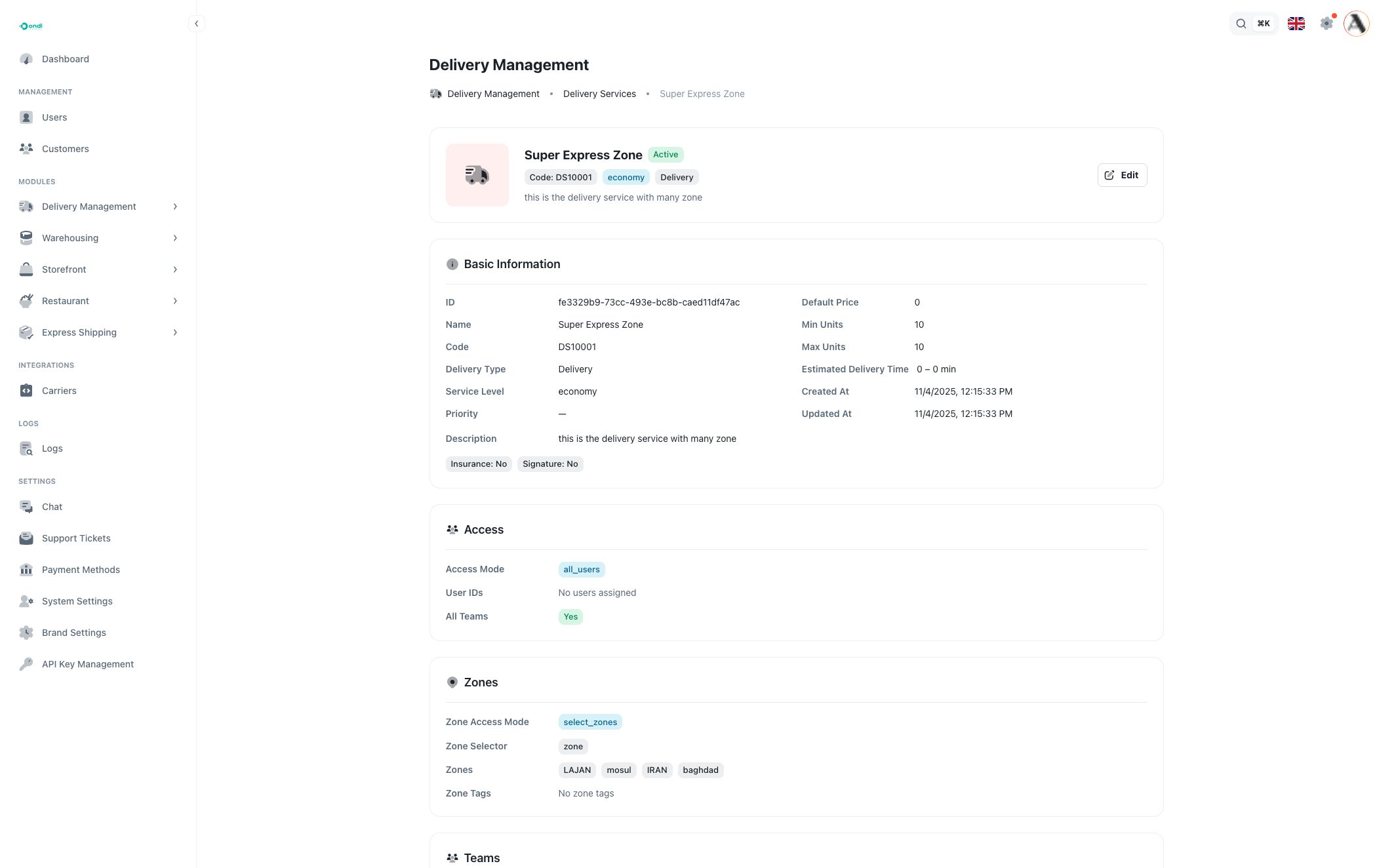
The detail page shows:
- basic service identity, code, type, level, price, unit limits, and estimates
- access mode and selected users
- zone mode, selected zones, and selected zone tags
- team assignment
- allowed vehicles
- policy mode, custom proof rules, and effective policy
Use the detail page when you need to confirm why a service is visible, where it applies, which teams can use it, or which proof rules apply before dispatch.
Customer portal visibility
Customer-facing service visibility is managed from Portal Configuration. Use that area when you need to control which delivery services are offered to customers and which optional order fields appear in the customer portal.