Driver Monitor
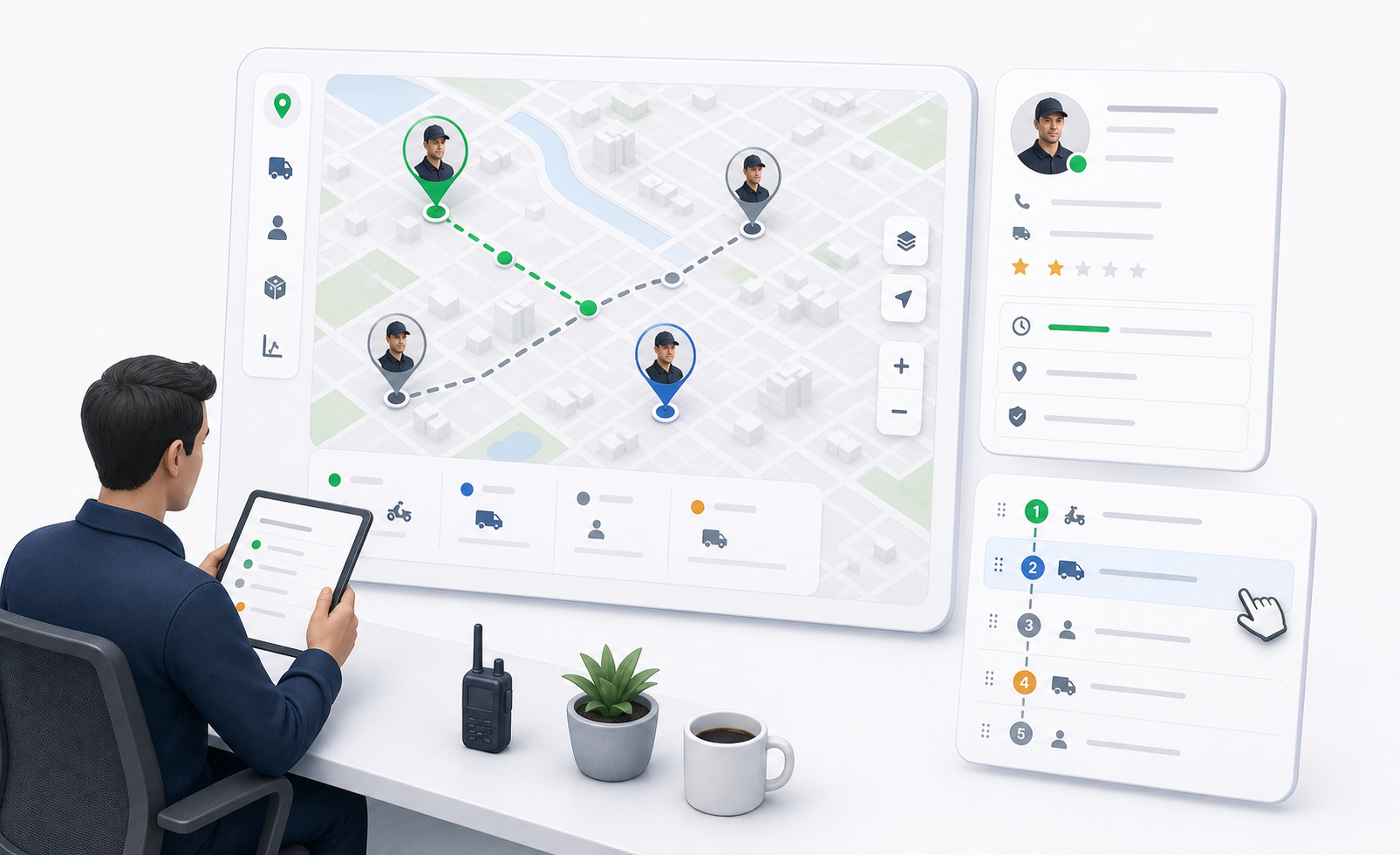
Driver Monitor helps dispatchers see who is available, what each driver is carrying, where the driver is active, and what work is next.
Open the driver panel from the Drivers control in Map View.
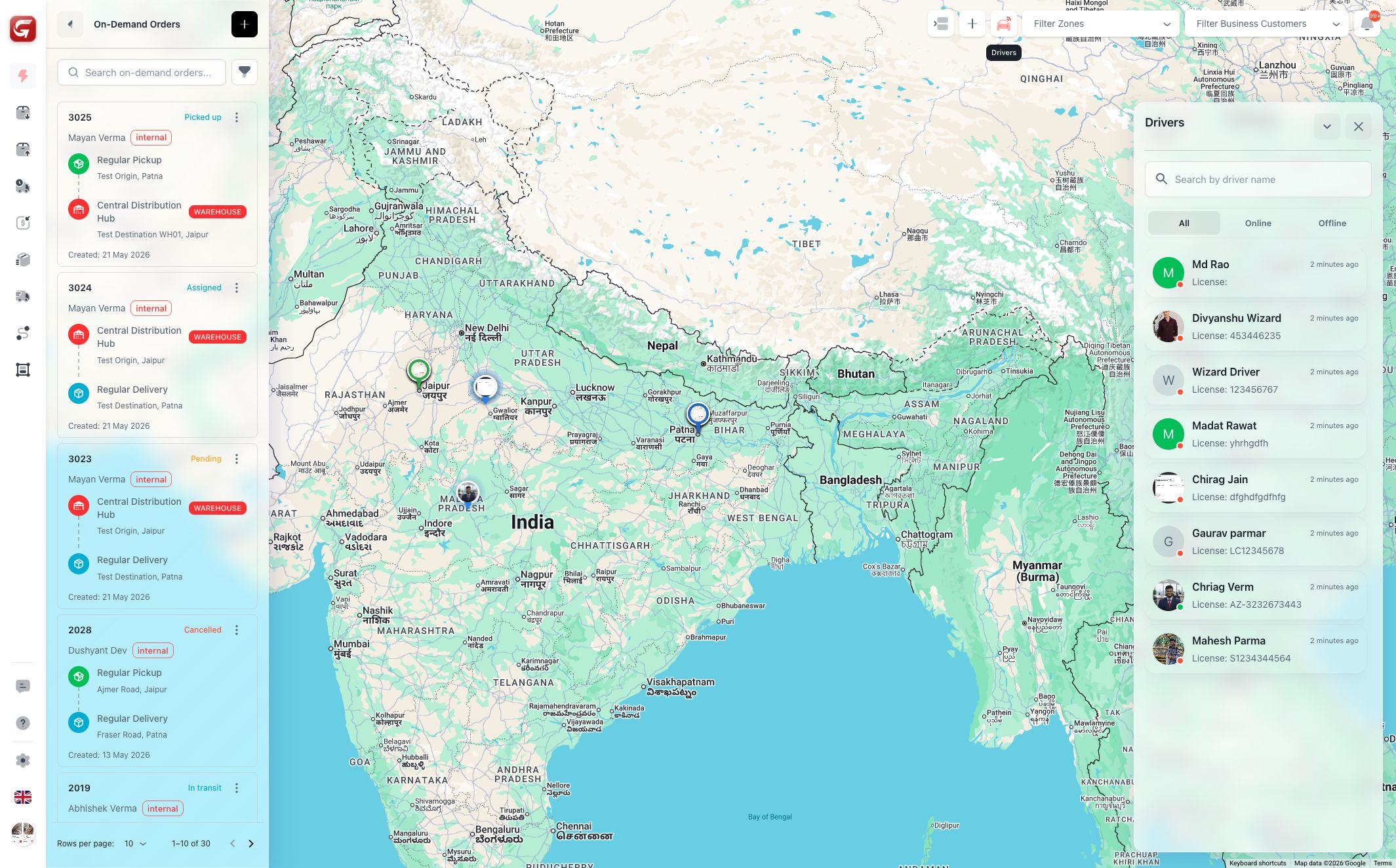
Driver List
The driver list includes:
- Search by driver name or related driver information.
- Tabs for all drivers, online drivers, and offline drivers.
- Driver avatar and online indicator.
- Last active information.
- Vehicle/license information when available.
Use this list when deciding who should receive new work.
Driver Markers
Driver markers appear on the map when driver visibility is enabled. Selecting a marker opens driver details.
Use driver markers to compare:
- Driver location.
- Nearby pickup points.
- Zone coverage.
- Current workload.
Do not assign based on distance only. Check current assignments and vehicle suitability before assigning the next order.
Driver Details
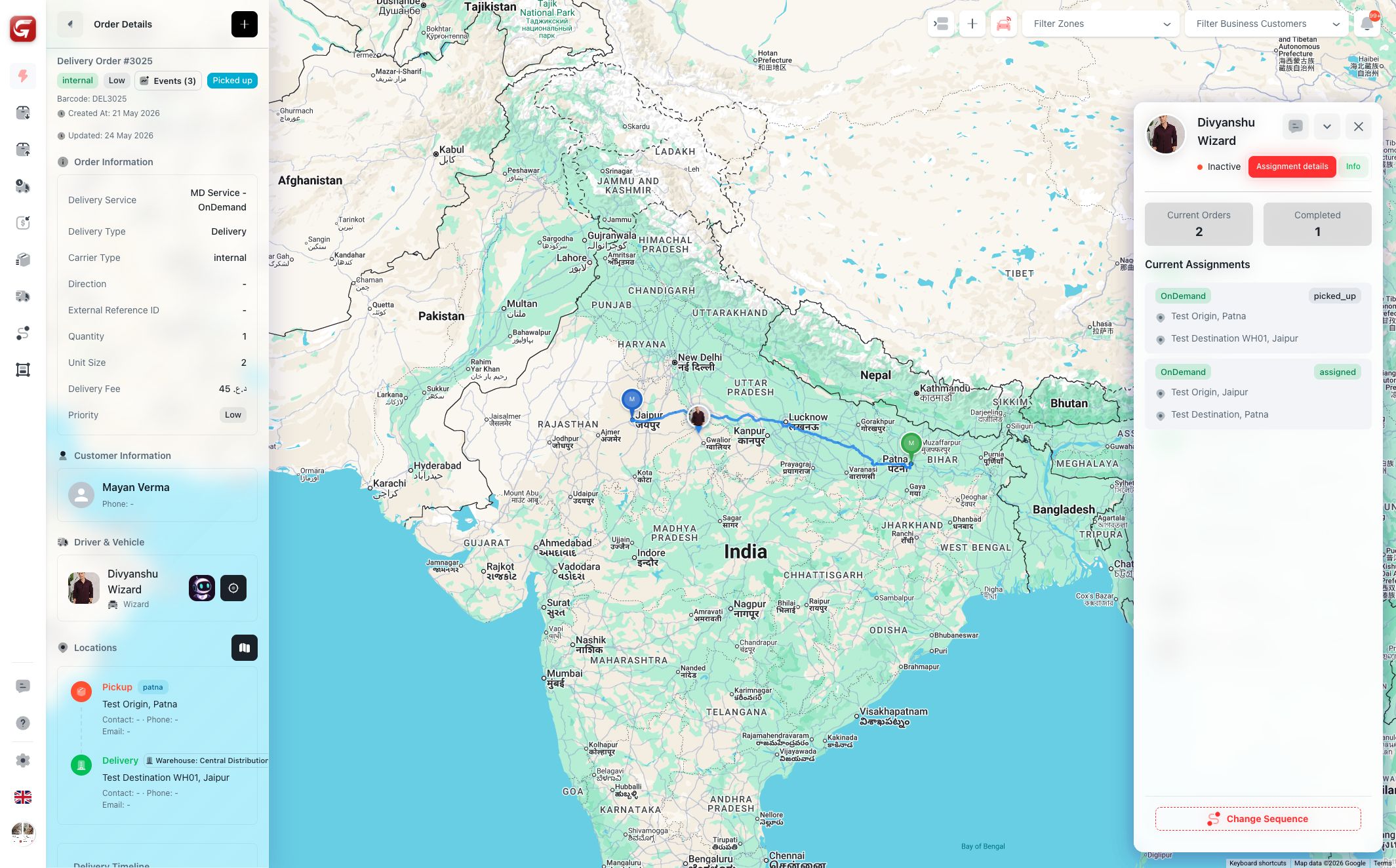
The driver detail panel shows:
| Area | Meaning |
|---|---|
| Header | Driver name, avatar, online status, active status, and quick chat access. |
| Current Orders | Number of active assignments. |
| Completed | Number of completed orders in the current context. |
| Assignment details | Current and completed order cards. |
| Info | Additional driver and vehicle information. |
| Minimize / Close | Temporarily hide or close the panel. |
Click an order in the driver detail panel to open the related order panel and details.
Current and Completed Assignments
Current assignments show work still active for the driver. Completed assignments show recently completed work.
Use this information to avoid overloading a driver and to understand why a nearby driver may not be the best option.
Change Sequence
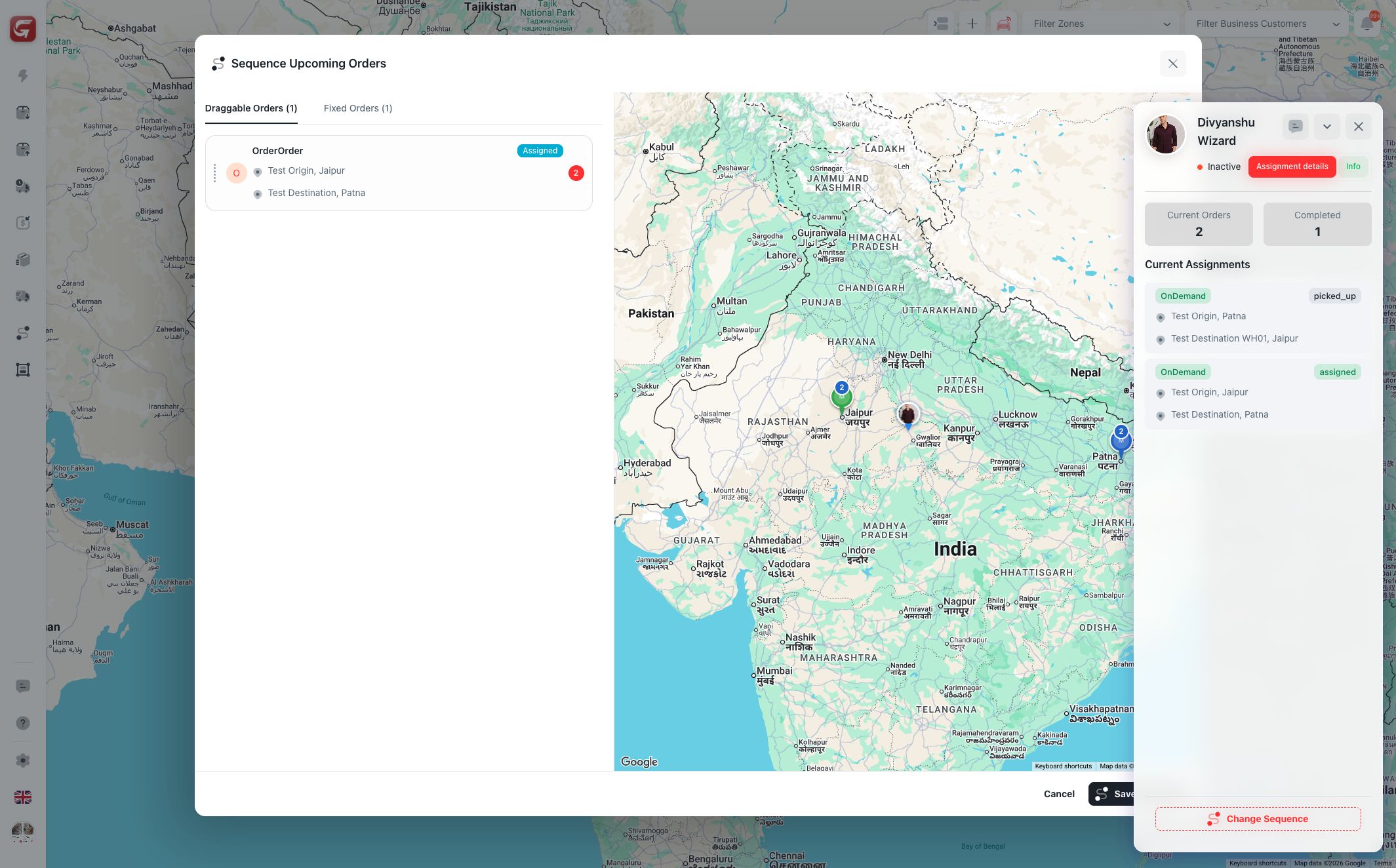
If the driver has upcoming current orders, the Change Sequence button opens a sequencing modal.
Use it to reorder draggable upcoming orders. The map preview shows the route context while the list shows which jobs can move.
Some orders are fixed and cannot be dragged. Fixed orders remain in their locked position because their current state does not allow resequencing.
Changing sequence affects the driver's execution order. Confirm the order list before saving, especially when the driver is already active.
Driver Chat
The driver detail header includes chat access. Use chat when the dispatcher needs to coordinate delivery details, delays, or issue resolution with the driver.
For customer/order conversations, open chat from the order details page so the conversation stays linked to the correct delivery.