Trip Execution and Returns

Use the Detail Page During Operations
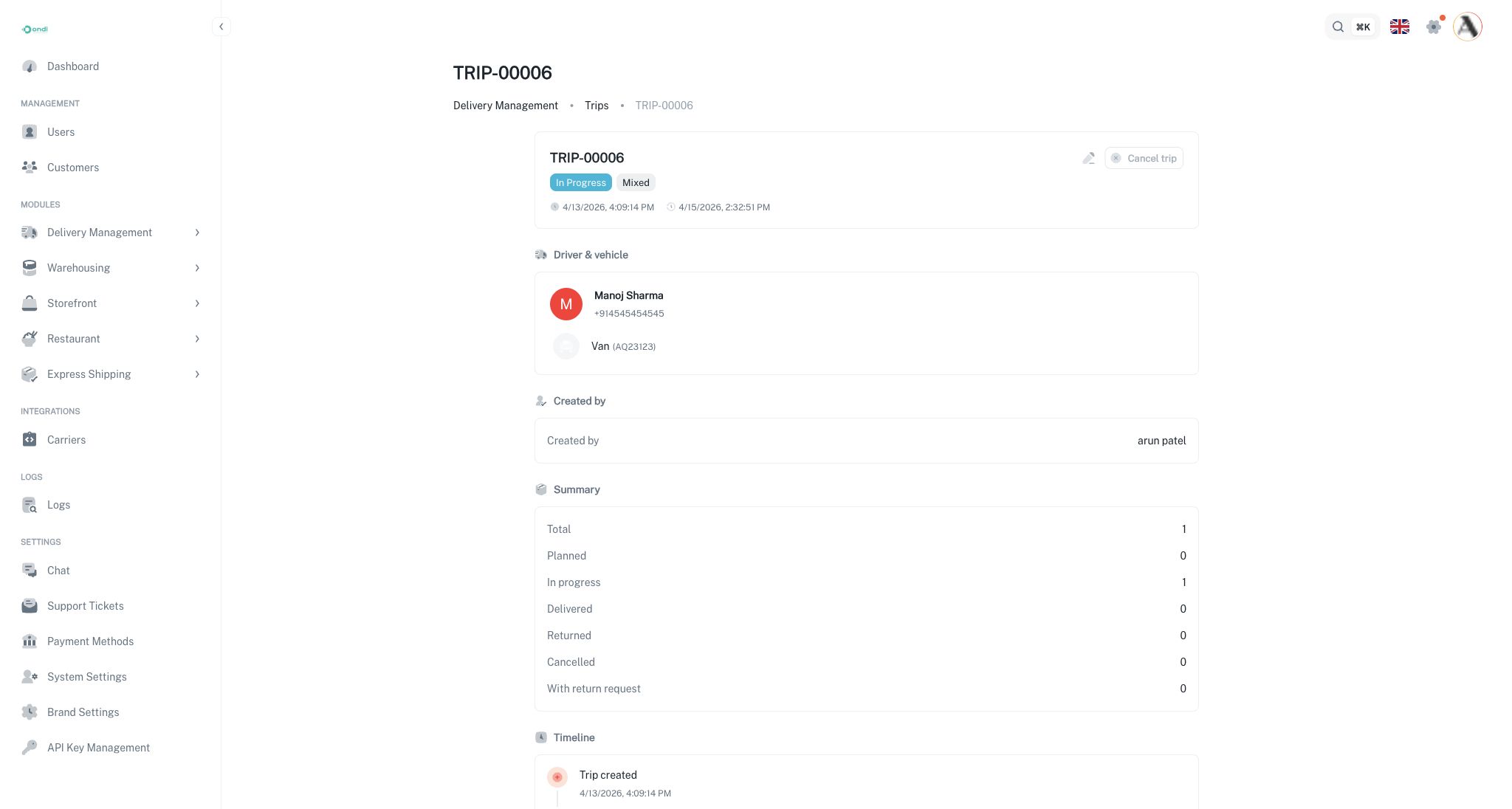
The trip detail page shows the execution state of a trip. It combines trip metadata, driver and vehicle information, timeline data, summary counts, selected deliveries, and the generated stop projection.
The stop projection groups the included deliveries into a practical driver view. It shows the planned stops, the current stop, and the next stop when execution data is available.
Driver Execution Context
Trips produce driver execution context without changing the fact that each delivery remains independent. A delivery can be picked up, delivered, cancelled, or returned according to its own lifecycle. The trip summary updates from those child delivery outcomes.
The execution panel can include:
- Stop list: The planned pickup and dropoff stops for the trip.
- Current stop: The stop currently being worked.
- Next stop: The next planned stop in the sequence.
- Summary counts: Planned, in progress, delivered, returned, cancelled, and deliveries with return requests.
How Trip Status Updates
The trip status follows the included deliveries.
- If all deliveries are still waiting for execution, the trip remains planned.
- If one or more deliveries enter active execution, the trip can become in progress.
- If all deliveries reach terminal outcomes such as delivered, returned, or cancelled, the trip can become completed.
- If the trip is cancelled before execution, it remains cancelled.
This prevents a trip from showing complete while active delivery work still exists.
Returns Inside Trips
Trip returns are based on delivery-level return outcomes. Unlike waybill partial returns, the trip does not represent one sealed batch. A driver can complete some deliveries and return others. The trip return view helps operations review those outcomes together.
Use trip return information to answer:
- Which deliveries on this trip came back?
- Which return requests were created?
- Which stops failed and why?
- Did the trip finish with mixed delivery outcomes?
Operational Review
After a trip is done, review:
- Trip status.
- Driver and vehicle used.
- Delivery-level proof and exceptions.
- Returned or cancelled deliveries.
- Notes entered during planning.
- Whether future trips should be sequenced differently.
A trip is a planning and execution wrapper. The delivery records remain the source of truth for proof of delivery, exceptions, and return details.