Delivery Configurations
Delivery configuration controls how Store Front orders become deliverable shipments. This is where the online checkout flow connects to real delivery operations.
Without delivery configuration, a customer may be able to browse products but the shop will not have a reliable way to price delivery, validate service availability, create delivery work, or show accurate delivery progress after checkout.
In the admin portal
Go to Storefront -> Delivery Config.
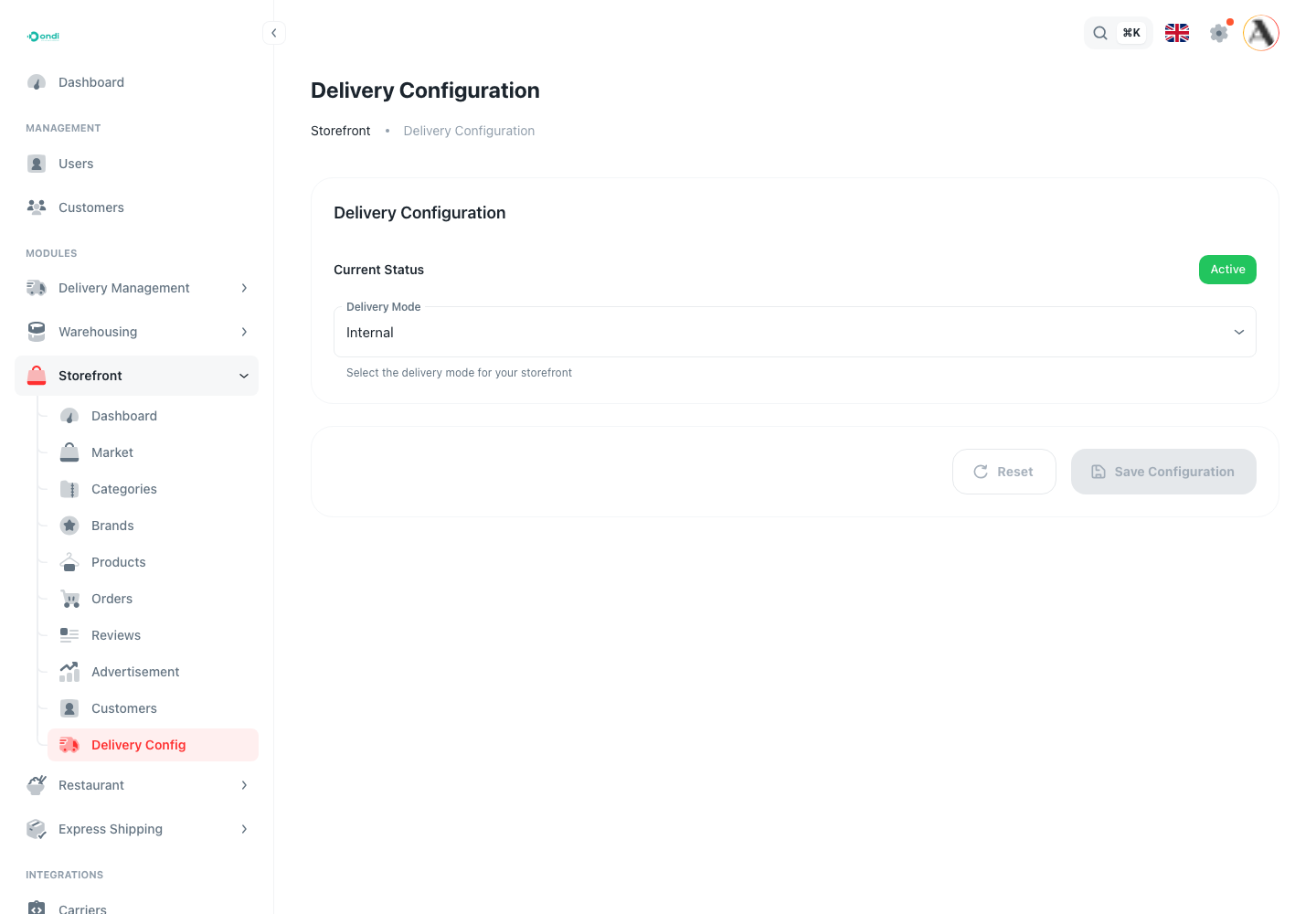
The page shows current status, delivery mode, internal or external setup, and the rules used to create delivery work from Store Front orders.
What to configure
Delivery configuration should answer these questions:
- Does the tenant use Ondi internal delivery or an external delivery provider?
- Which delivery services are available to Store Front customers?
- How should delivery prices be calculated?
- Should delivery work be created automatically after checkout?
- What should happen if external delivery updates the delivery status?
- What service areas should be accepted at checkout?
How this affects checkout
Customers can only complete checkout when the selected address, delivery service, delivery fee, and delivery mode are valid. If delivery is not configured, the storefront may look ready but orders cannot move cleanly into fulfillment.
Delivery configuration also affects customer trust. Customers expect to see a delivery option, delivery price, and order tracking behavior that matches what the business can actually provide.
Internal delivery
Use internal delivery when Ondi's delivery module manages drivers, zones, services, dispatch, and tracking.
In this mode, Store Front orders can move into Ondi delivery workflows. The tenant can use delivery services, zones, drivers, dispatcher operations, and delivery status updates from the delivery module.
External delivery
Use external delivery when another carrier or provider performs the delivery. In this mode, keep service names, pricing, and webhook status updates consistent so the customer still sees accurate tracking.
External delivery is useful when the tenant already uses a third-party carrier or regional delivery partner. The admin should still test checkout and status updates because customers see the result inside the Store Front customer portal.
Order handoff
After checkout, Store Front can create delivery work automatically or leave the order for manual handling, depending on your configuration. Choose the mode that matches the team that actually dispatches and tracks deliveries.
If the business has a structured delivery operation, automatic delivery creation can save admin time. If orders need manual review, custom packaging, stock checks, or approval first, keep the handoff manual until the team is ready.
Step-by-step setup
- Go to Storefront -> Delivery Config.
- Review the current delivery status.
- Choose the delivery mode.
- Select internal delivery if Ondi will manage the delivery workflow.
- Select external delivery if a third-party provider will handle dispatch and status updates.
- Configure delivery services and pricing behavior.
- Decide whether delivery work should be created automatically after checkout.
- Save the configuration.
- Test checkout with a real customer address and confirm the delivery fee is correct.
- Place a test order and confirm the order handoff works as expected.
Checklist
- Delivery mode is correct.
- At least one delivery service is available.
- Delivery price calculation has been tested.
- Service areas match where you actually deliver.
- Checkout has been tested with a real customer address.